This was a site roughly 600km from HQ that had been sitting with a constant F58 (BMS communication fault). As a temporary workaround, the system had been set to run on manual battery settings instead of relying on BMS communication between the batteries and the inverters.
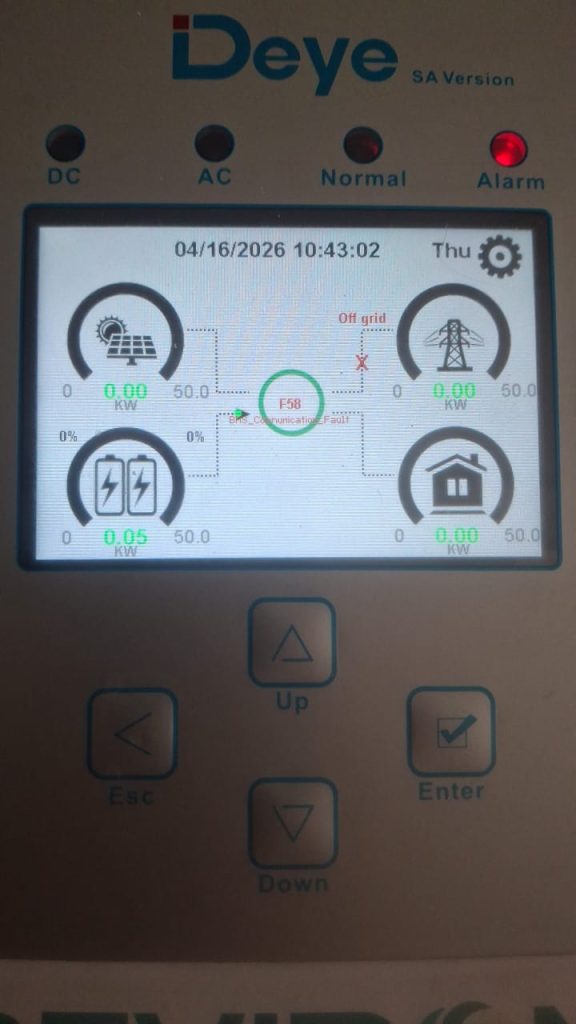
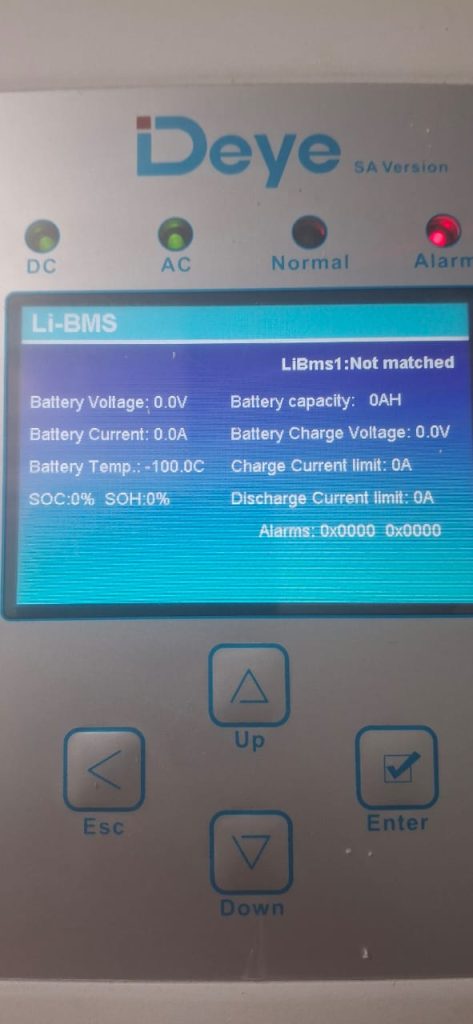
The system configuration is 3 × 50kW Deye inverters, 3 × HV battery stacks with each battery with its own BMU
On arrival, I started with the basics.
The history on this site was a bit vague, so I wasn’t sure whether the system had ever actually been running properly with BMS communication or if this was a newer issue. Because of that the first step was to eliminate any potential firmware incompatibility.
Firmware updates were done on all inverters, all BMUs and all battery modules, only once that was done did I move on to actual fault finding.
Next step was to connect directly to the BMU and see what it was reporting.
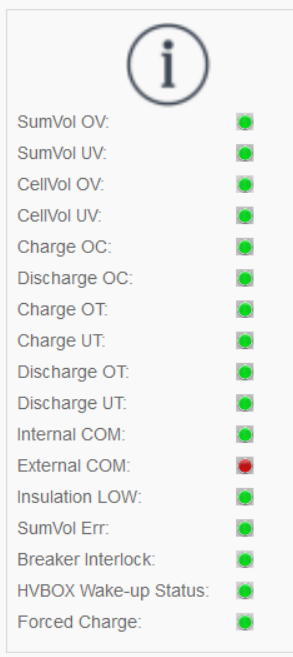
From the BMU side, it was clear that there was no external communication link, in other words, the BMU wasn’t seeing the inverter at all.
That already narrows things down quite a bit.
If the BMU isn’t detecting anything, the issue is unlikely to be internal to the battery. That leaves us with the inverter side or the communication link between the two.
The next logical step was to check the comms cable.
On this system the batteries use pins 1 & 2 for CAN (high/low) and the inverter uses pins 4 & 5 for CAN (high/low)
So there’s already a pin mapping involved, which makes it very possible for cables to be made up incorrectly. Since 2 out of the 3 inverters on site were showing the same fault, it made sense to suspect the cables first.
The existing cables were checked and the pinout was correct, but that still doesn’t completely rule out a faulty cable.
At this point, I decided to isolate one inverter and its battery bank and work on it as a standalone system.
These systems don’t share a common DC bus, so each inverter/battery pair can be treated independently. The assumption here was that whatever the issue was, it would likely be common across all three systems so if I solve it on one, the same fix can be applied to the rest.
I made up a new communication cable and also made it shorter, just to eliminate cable length as a factor and to reduce any chance of interference or signal degradation
With the new cable installed and the system rebooted, the fault was still there.
Next step was to check the inverter itself. These inverters have dual battery channels, each with its own BMS communication port. When I plugged into BMS port 2, I was actually able to establish communication between the inverter and the battery. Switching back to BMS port 1 immediately brought the fault back.
At this point, we’ve effectively ruled out the battery BMU and the communication cable and narrowed it down to something on the inverter side, specifically related to that BMS1 channel.
With some input from OEM support (since I’m not deeply familiar with the internal control architecture of these units), the root cause turned out to be something I wouldn’t have suspected. The issue was with the LCD panel on the inverter. Replacing the LCD panel resolved the communication fault.
Fortunately, I had two spare service units on site, so instead of swapping out entire inverters, I was able to just replace the LCD panels (I was advised by OEM that this would not compromise the inverters warranty and the 2 faulty LCD panels can be returned to their repair center for replacements).
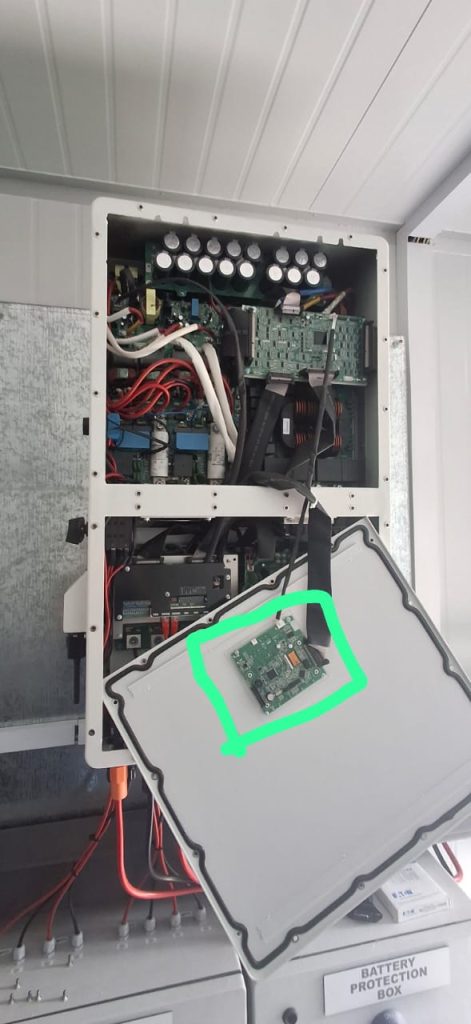
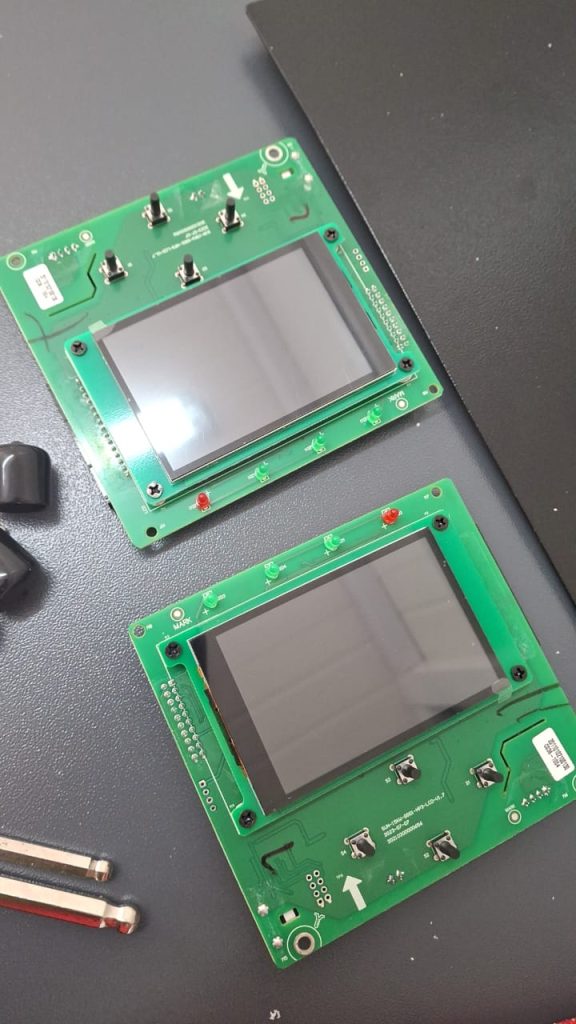
This one was a bit unexpected. You don’t typically think of the LCD panel as something that would affect core operation, especially something like BMS communication. But in this case, it clearly plays a role in the control or communication path. But after the replacement of the 2 LCD panels full normal operation was returned to the site.